
Back to Blog
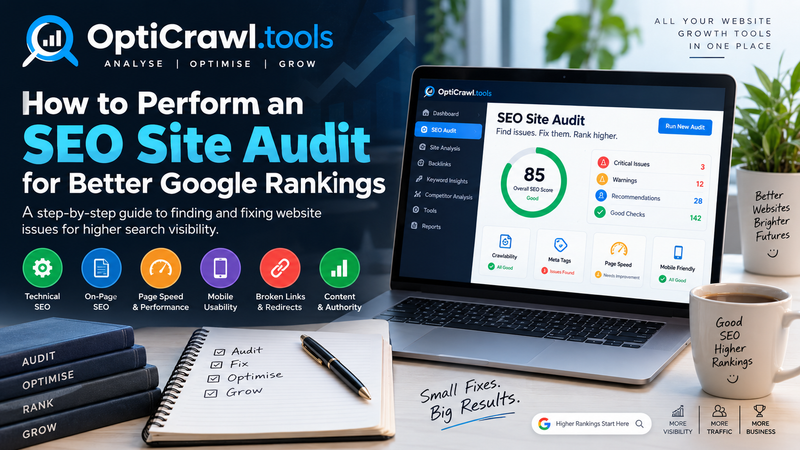
How to Perform an SEO Site Audit for Better Google Rankings
September 22, 2026
Absolutely. Here is a website-ready, SEO-focused blog post tailored for OptiCrawl.tools, with natural opportunities to introduce its SEO audit capabilities.
How to Perform an SEO Site Audit for Better Google Rankings
Getting your website to rank higher on Google is not just about publishing more content or adding keywords to your pages. Search engines consider a wide range of technical, on-page, content, usability, and authority-related signals when evaluating websites.
This is where an SEO site audit becomes essential.
An SEO audit is a comprehensive examination of your website to identify issues that may affect search visibility, crawling, indexing, user experience, and organic traffic. By regularly auditing your website and fixing important problems, you can build a stronger technical foundation and improve your chances of achieving better Google rankings.
In this guide, we explain how to perform an SEO site audit step by step, what you should check, and how an SEO audit tool can make the process faster and more efficient.
What Is an SEO Site Audit?
An SEO site audit is a systematic analysis of a website to identify factors that can influence its performance in search engines.
A complete audit typically examines:
Why Is an SEO Site Audit Important?
Websites can develop SEO problems over time without the owner noticing them.
For example, a website redesign may accidentally introduce broken links. A developer may block important pages from search-engine crawlers. Duplicate URLs may be created as the site grows. Images may become unnecessarily large, increasing page-loading time. Old pages may remain indexed even though they no longer provide value.
An SEO audit helps uncover these issues.
Regular audits can help you:
Improve Search Visibility
Technical and on-page issues can prevent search engines from properly understanding or accessing your website. Identifying and correcting those issues creates a stronger foundation for organic search performance.
Identify Technical Problems
An audit can reveal broken links, crawl issues, missing metadata, indexing problems, duplicate content, redirect errors and other technical concerns.
Improve User Experience
SEO and user experience are closely connected. Slow pages, poor mobile usability, confusing navigation and inaccessible content can make it harder for visitors to interact with your website.
Protect Existing Rankings
SEO is not only about gaining new rankings. It is also about maintaining the performance of pages that already receive organic traffic.
Build a Data-Driven SEO Strategy
Instead of guessing what might be wrong with your website, an audit gives you a structured list of issues that can be investigated and prioritised.
How to Perform an SEO Site Audit Step by Step
1. Crawl Your Website
The first step is to understand how search engines and visitors can navigate your website.
A website crawl can help identify:
For larger websites, crawling is particularly important because hundreds or thousands of pages can contain issues that are difficult to discover manually.
2. Check Google Indexation
A page cannot receive organic search traffic from Google in the normal way if it is not indexed.
Review whether your important pages are eligible for indexing and check for potential issues such as:
The goal should be to ensure that valuable, search-focused pages are accessible and indexable, while low-value or intentionally excluded pages are handled appropriately.
3. Review Your Site Structure
A well-organised website makes it easier for both users and search engines to discover important content.
Review:
A clear structure might look like:
Homepage → Service Category → Service Page → Supporting Content
For example:
Homepage → SEO Tools → SEO Site Audit → Technical SEO Guide
This type of structure can make your content easier to discover and create logical internal-linking relationships.
4. Analyse Page Titles and Meta Descriptions
Every important page should have a meaningful and unique title.
Your page title should communicate:
For example:
Weak:
SEO Audit | SEO Audit | SEO Audit Tool
Better:
SEO Site Audit Tool – Find Technical SEO Issues Faster
Meta descriptions are also important because they can help communicate the value of a page in search results, although search engines may generate a different search-result snippet.
Check your website for:
Headings help organise content and make long pages easier to understand.
Review whether your pages use headings logically:
For a page about an SEO audit, for example:
H1: How to Perform an SEO Site Audit
H2: What Is an SEO Site Audit?
H2: Why SEO Audits Matter
H2: How to Perform an SEO Audit
H3: Check Technical SEO
H3: Review On-Page SEO
This structure makes the page easier to scan and understand.
6. Evaluate Your Content
Technical SEO alone cannot make a weak website successful.
Review whether your pages genuinely satisfy the intent behind the searches you are targeting.
Ask:
Does this page answer the user's question clearly?
Does it provide useful information or a useful service?
Is the content original and sufficiently detailed for its purpose?
Does it demonstrate experience or subject knowledge where appropriate?
Is the information easy to read and navigate?
Avoid creating content simply to target a large number of keywords.
Instead, focus on creating pages that are genuinely useful to the people searching for your topic.
7. Find Duplicate and Thin Content
Duplicate content can make it difficult to determine which version of a page should be prioritised.
During an audit, look for:
The key question is whether the page provides sufficient value for its intended purpose.
8. Check Internal Links
Internal links connect pages within your website and help visitors discover related content.
They can also help search engines understand relationships between pages.
Review:
Internal linking should be helpful and natural rather than excessive.
9. Identify Broken Links and Redirect Problems
Broken links create a poor user experience and can interfere with website crawling.
Look for URLs returning status codes such as:
Page A → Page B → Page C
is generally less efficient than redirecting:
Page A → Page C
Cleaning up unnecessary redirect paths can simplify site architecture.
10. Analyse Page Speed and Core Web Performance
Website performance matters for both user experience and search visibility.
Check whether pages load efficiently on:
Improving performance can make your site faster and more pleasant to use.
11. Check Mobile SEO
A significant portion of web traffic comes from mobile devices, so your website should work properly on smaller screens.
Audit your website for:
12. Audit Images
Images can contribute to both SEO and page performance.
Review:
IMG_5837.jpg
a descriptive filename might be:
seo-site-audit-dashboard.jpg
Alt text should describe the image when it provides meaningful information. Avoid stuffing keywords into alt attributes unnecessarily.
13. Review HTTPS and Website Security
Your website should use HTTPS correctly across all important pages.
Check for:
14. Check Structured Data
Structured data can help search engines better understand certain types of content.
Depending on your website, you may review relevant structured-data implementations such as:
It should not be used to add information that users cannot actually find on the page.
15. Review Your XML Sitemap and Robots.txt
Two important technical files deserve attention during an SEO audit:
XML Sitemap
Your sitemap helps search engines discover URLs that you want them to know about.
Check that it:
Robots.txt provides instructions about crawler access.
Review whether important website resources or pages are being blocked accidentally.
A small configuration mistake in robots.txt can create significant crawling problems, so handle changes carefully.
16. Analyse Backlinks and External Authority
Backlinks can provide useful signals about the credibility and visibility of a website.
During an SEO audit, examine:
17. Compare Your Website With Competitors
SEO does not happen in isolation.
Analyse competing websites that appear for the searches you care about.
Compare areas such as:
18. Prioritise SEO Issues
One of the biggest mistakes people make after an SEO audit is trying to fix everything at once.
Instead, classify issues based on impact.
A simple framework is:
High Priority
Problems that can significantly affect crawling, indexing, accessibility or important pages.
Medium Priority
Issues that may affect optimisation, usability or organic performance but are not immediately critical.
Low Priority
Minor improvements that can be addressed after higher-impact work is complete.
For every issue, ideally record:
Issue → Page/URL → Impact → Recommended Fix → Priority → Status
This turns an SEO audit from a report into an actionable SEO roadmap.
How Often Should You Perform an SEO Audit?
There is no universal schedule that works for every website.
A small business website may benefit from periodic audits, while a large ecommerce website or frequently changing website may require much more frequent monitoring.
You should also consider an audit after:
Manual SEO Audits vs Automated SEO Audit Tools
Performing an SEO audit manually can be useful, but it can also be time-consuming.
You may need to inspect hundreds of pages, review metadata, test links, evaluate technical signals and organise the results into a report.
An SEO audit tool can automate much of this process.
Modern SEO audit platforms can help you quickly identify issues such as:
Perform Smarter SEO Audits With OptiCrawl.tools
Managing SEO manually across multiple websites can become difficult as your website grows.
OptiCrawl.tools is designed to make website analysis more accessible by bringing SEO auditing and other website-analysis capabilities into a single web-based platform.
You can use an SEO audit workflow to identify potential website issues, understand where optimisation opportunities exist, and create a more structured approach to improving your website.
Rather than checking every technical element manually, an automated audit can help you quickly see where attention is needed.
For business owners, marketers, agencies and website professionals, this can make routine SEO analysis faster and more scalable.
Final Thoughts
An SEO site audit is not a one-time checklist. It is an ongoing process of discovering, prioritising and fixing issues that can affect your website's visibility and user experience.
A strong audit should cover:
Technical SEO + Indexing + On-Page SEO + Content + Internal Links + Performance + Mobile Experience + Structured Data + Backlinks
Most importantly, do not focus on fixing the largest number of errors. Focus on fixing the most meaningful problems first.
Once the technical foundation is healthy, continue improving your content, site structure, user experience and overall authority.
Regular SEO audits can help you turn website optimisation from guesswork into a measurable and repeatable process.
How to Perform an SEO Site Audit for Better Google Rankings
Getting your website to rank higher on Google is not just about publishing more content or adding keywords to your pages. Search engines consider a wide range of technical, on-page, content, usability, and authority-related signals when evaluating websites.
This is where an SEO site audit becomes essential.
An SEO audit is a comprehensive examination of your website to identify issues that may affect search visibility, crawling, indexing, user experience, and organic traffic. By regularly auditing your website and fixing important problems, you can build a stronger technical foundation and improve your chances of achieving better Google rankings.
In this guide, we explain how to perform an SEO site audit step by step, what you should check, and how an SEO audit tool can make the process faster and more efficient.
What Is an SEO Site Audit?
An SEO site audit is a systematic analysis of a website to identify factors that can influence its performance in search engines.
A complete audit typically examines:
- Technical SEO
- Website crawling and indexing
- Page speed and performance
- Mobile usability
- On-page SEO
- Content quality
- Internal linking
- Broken links
- Metadata
- Structured data
- Image optimisation
- Security and HTTPS
- User experience
- Backlinks and website authority
Why Is an SEO Site Audit Important?
Websites can develop SEO problems over time without the owner noticing them.
For example, a website redesign may accidentally introduce broken links. A developer may block important pages from search-engine crawlers. Duplicate URLs may be created as the site grows. Images may become unnecessarily large, increasing page-loading time. Old pages may remain indexed even though they no longer provide value.
An SEO audit helps uncover these issues.
Regular audits can help you:
Improve Search Visibility
Technical and on-page issues can prevent search engines from properly understanding or accessing your website. Identifying and correcting those issues creates a stronger foundation for organic search performance.
Identify Technical Problems
An audit can reveal broken links, crawl issues, missing metadata, indexing problems, duplicate content, redirect errors and other technical concerns.
Improve User Experience
SEO and user experience are closely connected. Slow pages, poor mobile usability, confusing navigation and inaccessible content can make it harder for visitors to interact with your website.
Protect Existing Rankings
SEO is not only about gaining new rankings. It is also about maintaining the performance of pages that already receive organic traffic.
Build a Data-Driven SEO Strategy
Instead of guessing what might be wrong with your website, an audit gives you a structured list of issues that can be investigated and prioritised.
How to Perform an SEO Site Audit Step by Step
1. Crawl Your Website
The first step is to understand how search engines and visitors can navigate your website.
A website crawl can help identify:
- Broken URLs
- Redirect chains
- Missing pages
- Duplicate URLs
- Crawlable and non-crawlable pages
- Pages returning HTTP errors
- Missing titles and descriptions
- Internal linking problems
For larger websites, crawling is particularly important because hundreds or thousands of pages can contain issues that are difficult to discover manually.
2. Check Google Indexation
A page cannot receive organic search traffic from Google in the normal way if it is not indexed.
Review whether your important pages are eligible for indexing and check for potential issues such as:
- Unintended noindex directives
- Incorrect canonical tags
- Robots.txt restrictions
- Redirected URLs
- Duplicate or near-duplicate pages
- Pages that return errors
- Important pages with poor internal linking
The goal should be to ensure that valuable, search-focused pages are accessible and indexable, while low-value or intentionally excluded pages are handled appropriately.
3. Review Your Site Structure
A well-organised website makes it easier for both users and search engines to discover important content.
Review:
- Main navigation
- Category structure
- URL structure
- Breadcrumbs
- Internal links
- Important landing pages
- Content hierarchy
A clear structure might look like:
Homepage → Service Category → Service Page → Supporting Content
For example:
Homepage → SEO Tools → SEO Site Audit → Technical SEO Guide
This type of structure can make your content easier to discover and create logical internal-linking relationships.
4. Analyse Page Titles and Meta Descriptions
Every important page should have a meaningful and unique title.
Your page title should communicate:
- What the page is about
- The primary search topic
- Why the page is relevant
For example:
Weak:
SEO Audit | SEO Audit | SEO Audit Tool
Better:
SEO Site Audit Tool – Find Technical SEO Issues Faster
Meta descriptions are also important because they can help communicate the value of a page in search results, although search engines may generate a different search-result snippet.
Check your website for:
- Missing titles
- Duplicate titles
- Extremely long or vague titles
- Missing meta descriptions
- Duplicate descriptions
- Descriptions that do not accurately represent page content
Headings help organise content and make long pages easier to understand.
Review whether your pages use headings logically:
- H1 for the main page topic
- H2 for major sections
- H3 for relevant subsections
For a page about an SEO audit, for example:
H1: How to Perform an SEO Site Audit
H2: What Is an SEO Site Audit?
H2: Why SEO Audits Matter
H2: How to Perform an SEO Audit
H3: Check Technical SEO
H3: Review On-Page SEO
This structure makes the page easier to scan and understand.
6. Evaluate Your Content
Technical SEO alone cannot make a weak website successful.
Review whether your pages genuinely satisfy the intent behind the searches you are targeting.
Ask:
Does this page answer the user's question clearly?
Does it provide useful information or a useful service?
Is the content original and sufficiently detailed for its purpose?
Does it demonstrate experience or subject knowledge where appropriate?
Is the information easy to read and navigate?
Avoid creating content simply to target a large number of keywords.
Instead, focus on creating pages that are genuinely useful to the people searching for your topic.
7. Find Duplicate and Thin Content
Duplicate content can make it difficult to determine which version of a page should be prioritised.
During an audit, look for:
- Duplicate page titles
- Duplicate descriptions
- Identical or highly similar pages
- Multiple URL versions of the same content
- Pages with very little useful content
- Old pages that no longer serve a purpose
The key question is whether the page provides sufficient value for its intended purpose.
8. Check Internal Links
Internal links connect pages within your website and help visitors discover related content.
They can also help search engines understand relationships between pages.
Review:
- Pages with very few internal links
- Broken internal links
- Important pages receiving insufficient links
- Excessive links pointing to low-value pages
- Relevant opportunities to connect related content
Internal linking should be helpful and natural rather than excessive.
9. Identify Broken Links and Redirect Problems
Broken links create a poor user experience and can interfere with website crawling.
Look for URLs returning status codes such as:
- 404 – Not Found
- 410 – Gone
- 5xx – Server Errors
- Redirect chains
- Redirect loops
- Incorrect redirects
- Redirects to irrelevant pages
Page A → Page B → Page C
is generally less efficient than redirecting:
Page A → Page C
Cleaning up unnecessary redirect paths can simplify site architecture.
10. Analyse Page Speed and Core Web Performance
Website performance matters for both user experience and search visibility.
Check whether pages load efficiently on:
- Mobile devices
- Desktop devices
- Slow connections
- Different browsers
- Large images
- Unused JavaScript
- Excessive CSS
- Render-blocking resources
- Poor caching
- Slow server response
- Layout instability
Improving performance can make your site faster and more pleasant to use.
11. Check Mobile SEO
A significant portion of web traffic comes from mobile devices, so your website should work properly on smaller screens.
Audit your website for:
- Responsive design
- Readable text
- Appropriate font sizes
- Mobile-friendly navigation
- Buttons that are easy to tap
- Content that fits the screen
- Images that scale correctly
- Intrusive elements that interfere with content
12. Audit Images
Images can contribute to both SEO and page performance.
Review:
- File sizes
- Image dimensions
- Modern image formats
- Descriptive filenames
- Alt text where appropriate
- Lazy loading
- Responsive image delivery
IMG_5837.jpg
a descriptive filename might be:
seo-site-audit-dashboard.jpg
Alt text should describe the image when it provides meaningful information. Avoid stuffing keywords into alt attributes unnecessarily.
13. Review HTTPS and Website Security
Your website should use HTTPS correctly across all important pages.
Check for:
- HTTPS implementation
- Mixed-content issues
- HTTP-to-HTTPS redirects
- Certificate problems
- Insecure resources
14. Check Structured Data
Structured data can help search engines better understand certain types of content.
Depending on your website, you may review relevant structured-data implementations such as:
- Organization
- Local Business
- Product
- Article
- Breadcrumb
- Event
- FAQ where applicable
It should not be used to add information that users cannot actually find on the page.
15. Review Your XML Sitemap and Robots.txt
Two important technical files deserve attention during an SEO audit:
XML Sitemap
Your sitemap helps search engines discover URLs that you want them to know about.
Check that it:
- Contains relevant URLs
- Does not unnecessarily include broken pages
- Does not contain redirected URLs where they can be avoided
- Is updated appropriately
Robots.txt provides instructions about crawler access.
Review whether important website resources or pages are being blocked accidentally.
A small configuration mistake in robots.txt can create significant crawling problems, so handle changes carefully.
16. Analyse Backlinks and External Authority
Backlinks can provide useful signals about the credibility and visibility of a website.
During an SEO audit, examine:
- Number and quality of referring domains
- Relevant industry links
- Lost backlinks
- Suspicious backlink patterns
- Links pointing to important pages
- Competitor backlink opportunities
17. Compare Your Website With Competitors
SEO does not happen in isolation.
Analyse competing websites that appear for the searches you care about.
Compare areas such as:
- Content coverage
- Page structure
- Search intent
- Internal linking
- Website architecture
- Page speed
- Topic depth
- Local visibility
- Backlink profiles
18. Prioritise SEO Issues
One of the biggest mistakes people make after an SEO audit is trying to fix everything at once.
Instead, classify issues based on impact.
A simple framework is:
High Priority
Problems that can significantly affect crawling, indexing, accessibility or important pages.
Medium Priority
Issues that may affect optimisation, usability or organic performance but are not immediately critical.
Low Priority
Minor improvements that can be addressed after higher-impact work is complete.
For every issue, ideally record:
Issue → Page/URL → Impact → Recommended Fix → Priority → Status
This turns an SEO audit from a report into an actionable SEO roadmap.
How Often Should You Perform an SEO Audit?
There is no universal schedule that works for every website.
A small business website may benefit from periodic audits, while a large ecommerce website or frequently changing website may require much more frequent monitoring.
You should also consider an audit after:
- A website redesign
- A domain migration
- Major technical changes
- Significant content updates
- Sudden organic traffic changes
- Changes to website architecture
- Launching a new section or service
Manual SEO Audits vs Automated SEO Audit Tools
Performing an SEO audit manually can be useful, but it can also be time-consuming.
You may need to inspect hundreds of pages, review metadata, test links, evaluate technical signals and organise the results into a report.
An SEO audit tool can automate much of this process.
Modern SEO audit platforms can help you quickly identify issues such as:
- Missing title tags
- Duplicate metadata
- Broken links
- HTTP errors
- Indexability problems
- Redirect issues
- Heading problems
- Image optimisation opportunities
- Technical SEO warnings
- Page performance concerns
Perform Smarter SEO Audits With OptiCrawl.tools
Managing SEO manually across multiple websites can become difficult as your website grows.
OptiCrawl.tools is designed to make website analysis more accessible by bringing SEO auditing and other website-analysis capabilities into a single web-based platform.
You can use an SEO audit workflow to identify potential website issues, understand where optimisation opportunities exist, and create a more structured approach to improving your website.
Rather than checking every technical element manually, an automated audit can help you quickly see where attention is needed.
For business owners, marketers, agencies and website professionals, this can make routine SEO analysis faster and more scalable.
Final Thoughts
An SEO site audit is not a one-time checklist. It is an ongoing process of discovering, prioritising and fixing issues that can affect your website's visibility and user experience.
A strong audit should cover:
Technical SEO + Indexing + On-Page SEO + Content + Internal Links + Performance + Mobile Experience + Structured Data + Backlinks
Most importantly, do not focus on fixing the largest number of errors. Focus on fixing the most meaningful problems first.
Once the technical foundation is healthy, continue improving your content, site structure, user experience and overall authority.
Regular SEO audits can help you turn website optimisation from guesswork into a measurable and repeatable process.
Ready to scale?
Apply these strategies directly to your brand with our expert team.
Get a Free Audit